

Pentru a dezactiva notificările legate de tichete individuale, procedați după cum urmează:
- Deschideți tichetul dorit în secțiunea de detalii.
- Faceți clic pe butonul "Don't notifiy me".
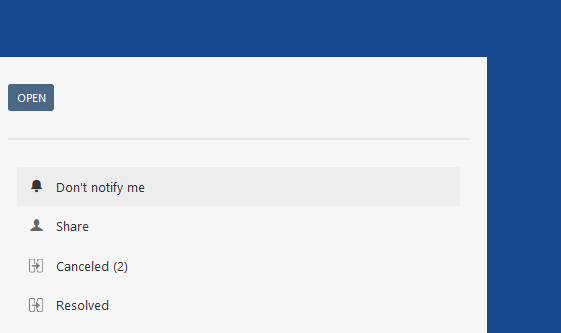
Butonul se schimbă în "Receive notification".
Din acest moment, nu veți mai primi notificări prin e-mail.
| Tip |
|---|
Puteți reactiva notificările prin apăsarea butonului "Receive notification". |
| Excerpt Include | ||||||
|---|---|---|---|---|---|---|
|
Answer
To disable notifications of individual tickets, proceed as follows:
- Open the desired ticket in the detail screen.
- Click the "No notification" button
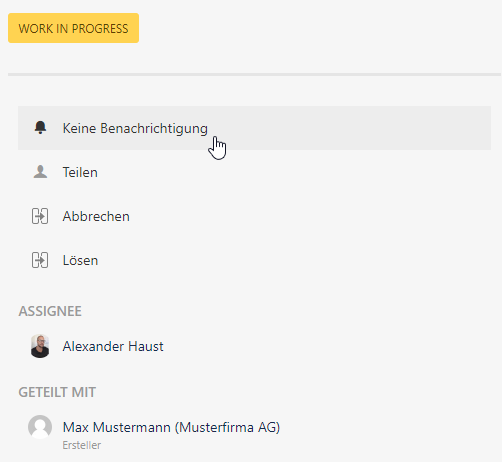
The button changes to "Receive notification.
From this point on, you will no longer receive notifications via Mail.
| Tip |
|---|
You can reactivate the notification by pressing the "Receive notifications" button.
|

| Excerpt Include | ||
|---|---|---|
|
