

- Open the Service Desk Portal
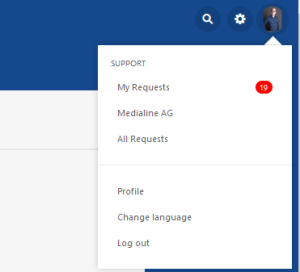
- Click on your avatar in the upper right corner and select "Change language".
- Select the desired language and confirm with "Save".
- Depending on the browser you are using, you may need to reload the page.
- For Google Chrome, confirm with "Reload".
- for Mozilla Firefox confirm with "Exit page".
- for Internet Explorer / Microsoft Edge confirm with "Exit page".
- After reloading the page, the language is changed.
Contact
Service Times
Mo-Fr in between 8:00 and 17:00
Languages
DE / EN / RO
E-Mail: helpdesk@medialine.ag
Tel.: +49611-9881670-89 / +496751-85378-80
